Sanctumel Learning, your church's school space, structures teaching for children and new believers by classes, each with its students, its teachers and its lessons. Here's how to start.
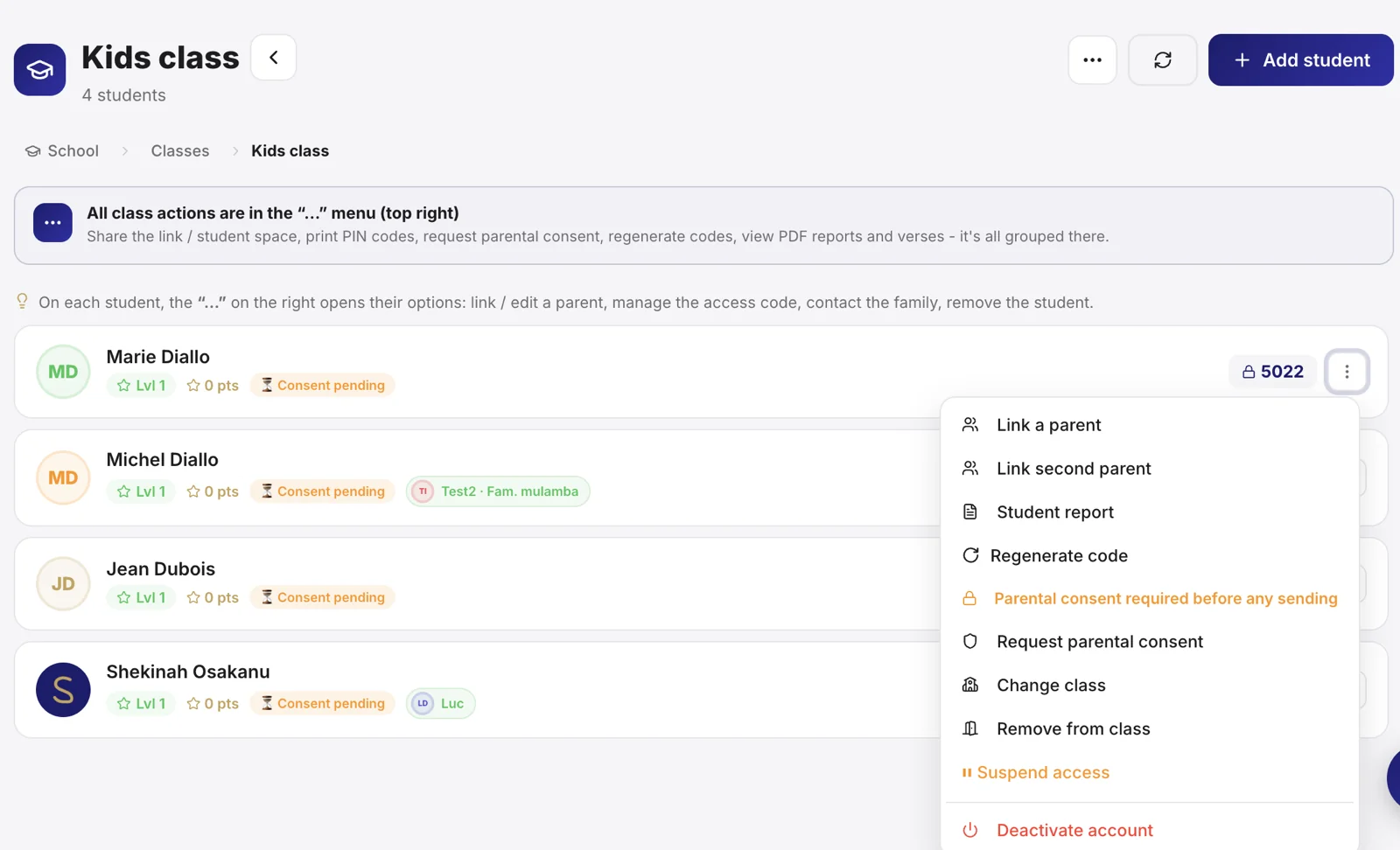
Create a class
- Open Sanctumel Learning, then Create a class.
- Give it a name (for example an age group or a level).
- Appoint the teacher(s) in charge.
Tip: name your classes clearly and durably ("Juniors", "New believers") rather than by year, so you don't have to rename everything each term.
Naming a class monitor
The monitor is not a label on a card: it is the person who sees the children, receives their messages and opens their records. Naming them grants a function.
- Open the class, then Edit.
- Under Class monitor, search for the person by name. You choose a member of the church, not an account.
- Sanctumel announces what is going to happen, before you confirm.
- Save.
Three situations, three different outcomes, and the screen tells you which one is yours:
- The person already has an account: the Monitor function is granted immediately and the class opens to them.
- They have no account: they receive an invitation by e-mail. The class waits for them; access opens when they accept.
- They have neither an account nor an e-mail address: they are named on the class but will not be able to open it. Add their address to their member record, then name them again.
Until the invitation is accepted, the class card shows Invitation pending. That is not a detail: nobody is receiving this class's notifications yet.
The function is readable on the member record. It appears among their functions like any other, with its date. So the question that matters can be answered: who is supervising this church's children?
Note: removing a class's monitor removes the naming, not the function. The person may be supervising another class. The Monitor function is removed from their member record, where everything they hold is visible.
Clearance to serve with minors
A Sunday school class is, by construction, service with children. Your church may require every monitor to be cleared before being named.
- In the school's Classes tab, switch on Supervisor clearance. Reserved for the pastor and the administrator: a monitor does not lift the requirement that applies to them.
- Record the check for each supervisor from their volunteer record.
Once the requirement is on, naming someone without valid clearance is refused, and the message says where to fix it. An expired clearance counts as none: that is precisely the case that creates the illusion the check was done.
The clearance state is shown in every case, even if your church does not require it. Telling you costs nothing, and children are involved.
Note: turning the requirement on removes no monitor from any class already supervised. It applies to future namings. Compliance does not have to start with a punishment.
Enrol students
- Open the class, then Add a student.
- Link the student to their member record if they have one, or create it.
- Repeat for the whole class.
Note: children's data is sensitive. Sanctumel protects access to the school: only authorised teachers and leaders can see the students.
Move a student to another class
A child changes class during the year, and their record must follow them: their points, their badges, their attendance history and their parents' consent are all attached to it.
The gesture is the same as an enrolment. Open the destination class, then Add a student, and type their name.
Sanctumel then recognises that the record already exists, tells you where it is (enrolled in another class, withdrawn from a class, or attached to no class) and lets you choose:
- Move their record here: the student joins this class with their whole history.
- This is a different child: two children really do share the same name, and you create a second record.
If the record is already in the class you are in, Sanctumel says so and offers no move: there is nothing to move.
Note: only create a second record if it really is a different child. Two records for the same student split their points and their history in two, and check-in becomes ambiguous.
Deleting a class: what happens to the students
Deleting a class does not delete any student. The records are detached: they keep their points, their badges, their attendance history and their parents' consent. Before you confirm, Sanctumel tells you how many students are affected.
However, a student with no class no longer appears in the class list, since the console shows students class by class. They are not lost, they simply have no place.
Finding students with no class
When students no longer have a class, a banner appears at the top of the Classes tab and says how many there are.
- Open the Classes tab.
- Click Reassign them in the banner.
- For each student, click Choose their class, then pick the destination class.
The list says why each one is there: their class was deleted, or they were never enrolled in a class. The banner disappears on its own once everyone has a place again.
Note: never recreate a record for a student you cannot find in their class. Check this banner first: the record almost always exists, and creating a second one splits their points and their history in two.
Follow the lessons
Each class follows a thread of lessons. You can prepare a lesson, attach material, and mark student attendance at each session.
Track progress
Session after session, the school keeps a record of attendance and progress, useful to support each child and inform the parents.
Going further
The class discussion
Each class has a discussion thread between the teacher and their students. You pick its mode when creating the class (changeable at any time):
- Open: the teacher and students can write.
- Announcements only: only the teacher posts, students read.
- Closed: the discussion does not appear on the student side.
When a student writes, the class teacher receives a notification (bell and browser) that takes them straight to the thread. The student sees an "unread" badge as soon as they open their space, even on another device.
Note: a space where children talk is not an open lounge. Parents do not access the discussion; the teacher can hide or delete any message.