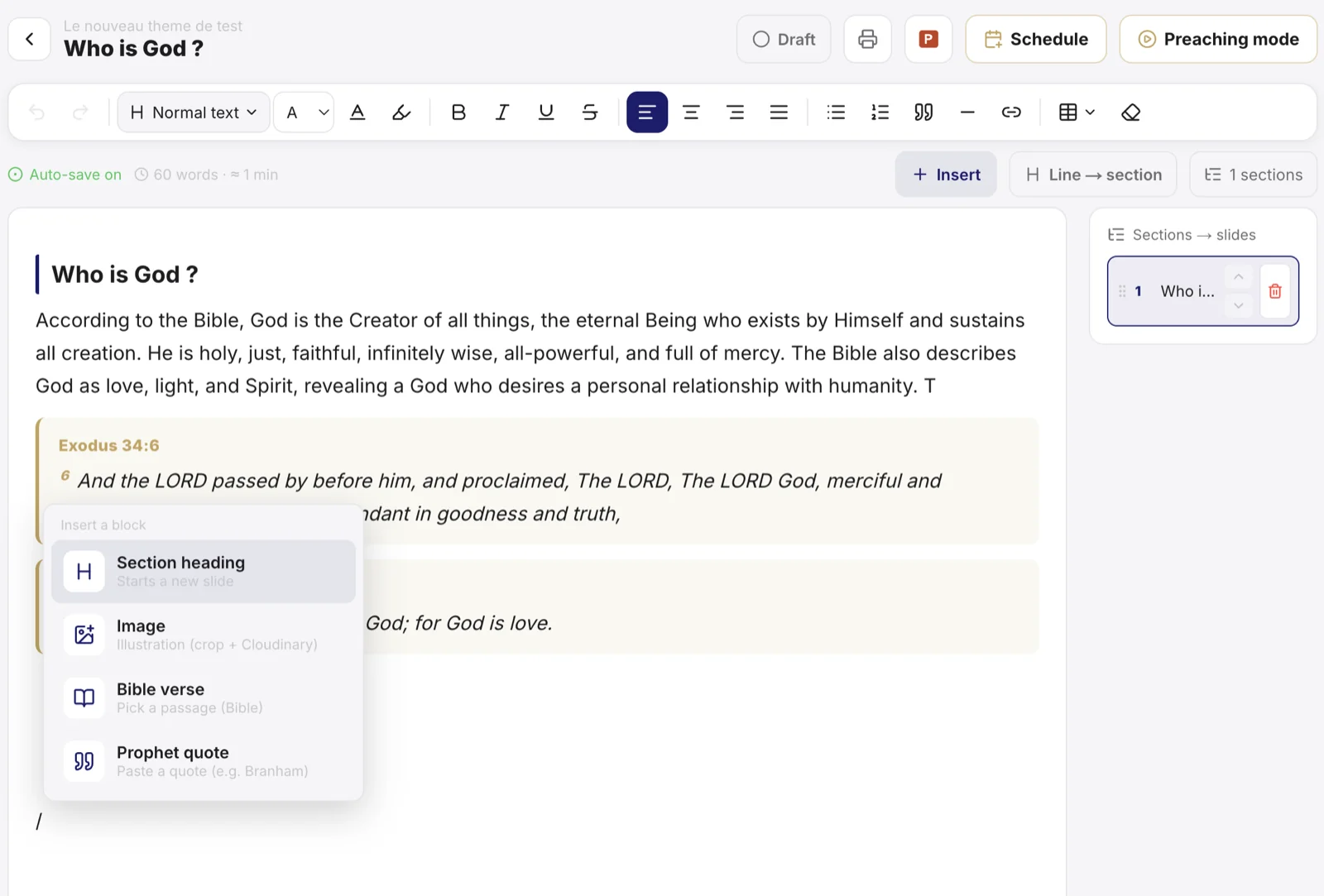
The Preaching module helps you prepare, classify and find your messages. A sermon is organised on three levels: the theme (the broad subject), the subject (the message itself) and the parts (the points developed). This structure makes every message easy to prepare and to find again, even years later.
Understand the structure
| Level | Role | Example |
|---|---|---|
| Theme | Groups several messages | Faith |
| Subject | One specific message | The faith that moves mountains |
| Parts | The points of the message | Definition, biblical examples, application |
Create a subject
- Open Preaching and choose or create a theme.
- Inside that theme, create a subject: give it a title.
- Write the content and split it into parts, each with its own title.
Tip: turning an already-written line into a part title takes one click in the editor. Structure as you go, without reorganising everything at the end.
Preach from Sanctumel
On the day of the message, open the subject in preach mode: the text shows in large type, part by part, readable from the pulpit or the phone.
Note: preach mode also works offline once the page is loaded - a connection drop won't leave you without your notes.
Export as PDF
Each subject can be exported as a PDF on your church's letterhead, to print, archive or share with the pastoral team.
Who sees what?
Each preacher only sees their own sermons (those they created or where they are the designated preacher). Church administrators see everything. A church with several pastors thus keeps separate workspaces - no confusion between each other's sermons.
Note: sermons created before this rule belong to the church: they remain visible to administrators.