Sanctumel turns your members' birth dates into a real calendar you can display. You pick one photo per month, crop it to the right format, then print everything as a PDF, month by month or on a single yearly page. It is a simple way to never forget anyone and keep the community life going.
Note: only member records that have a birth date appear in the calendar. Be sure to fill in that field so everyone is included.
Open the calendar
- In the left menu, open Members, then Birthdays.
- Click Calendar to reach the composition page.
- At the top right, the arrows let you switch the year.
The page is organized into three tabs: Birthdays (the 12-month grid), Photo (choosing the images), and Events (dates to add to the calendar).
The Birthdays tab
This is the overview. Each month is shown as a mini-calendar, with the number of birthdays and the relevant days highlighted. Hovering over a day shows who is celebrating; clicking a face lets you send them a birthday wish.
Tip: wedding anniversaries celebrated in your church also appear, marked with a heart. Nothing to set up: they are pulled in automatically from the Marriage Journey module.
Choose the photos
This is the heart of the photo calendar. In the Photo tab:
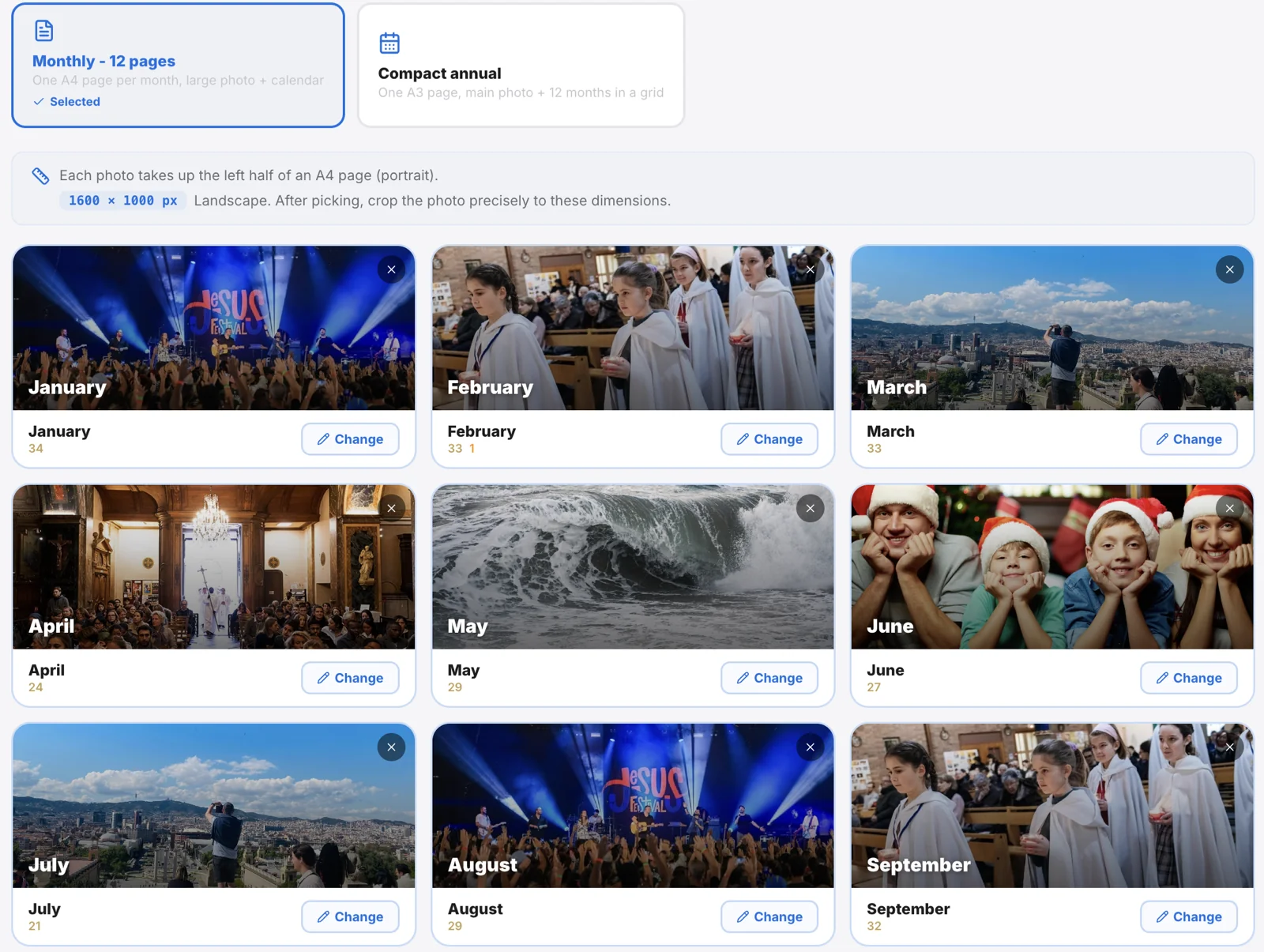
- First choose the format: monthly or annual (see the table below).
- For each month, click the thumbnail and pick an image from one of your galleries.
- Sanctumel then opens the crop tool: drag to reposition, zoom, then confirm.
The crop is always in landscape format and locked to the dimensions of the chosen format, so the photo fills the frame perfectly when printed.
| Format | Photo dimensions | What you print |
|---|---|---|
| Monthly | 1600 × 1000 px | One page per month, the photo as a banner above the calendar |
| Annual | 1800 × 450 px | A single page for the whole year, the photo as a wide banner |
Tip: you do not have to fill all 12 months. Months without a photo keep a default colored background and remain perfectly printable.
Add events
The Events tab lets you add other important dates (meetings, special services, outings…) that will appear on the calendar alongside the birthdays.
- Click Add an event.
- Enter the title, date, a category and a color.
- Turn on Recurring for a date that comes back every year, and the include toggle to show it on the printed calendar or not.
Print the calendar
Once your photos and events are in place:
- At the top right, click the Print button.
- A window asks what to include: birthdays, events, or both.
- Confirm: Sanctumel prepares the PDF, including your church's header and footer, and opens the print window.
Warning: the PDF export is part of the features included in a paid plan. If the print button is disabled, check your subscription plan.